Accounts
The Accounts section provides the financial management and reporting layer of ISPBills. It gives ISP administrators a complete picture of money flowing in and out — from individual customer payments to operator settlements and automated accounting entries.
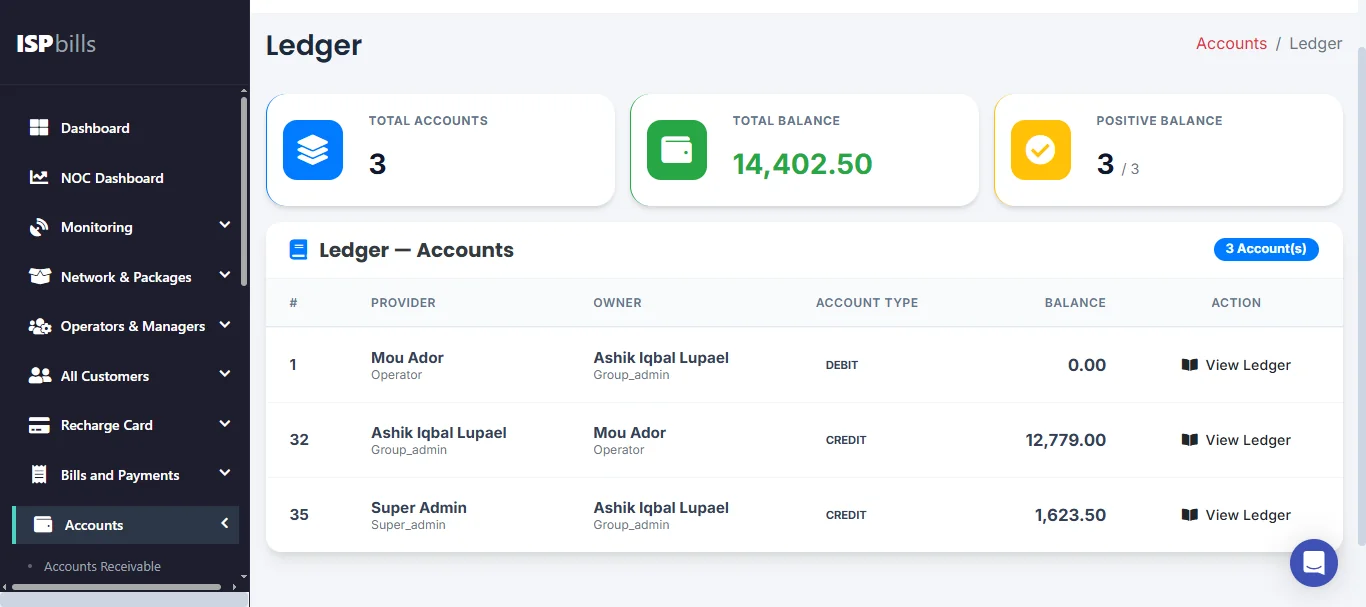
What This Section Covers
| Feature | Purpose |
|---|---|
| Customer Payments | Full log of all payments received from customers (cash and online). |
| Gateway Transactions | All transactions processed through connected payment gateways. |
| Operator Payments | Financial settlements between the admin and resellers/operators. |
| Daily Report | Day-by-day financial breakdown. |
| Monthly Report | Month-by-month financial summary for management and accounting. |
| Accounts Receivable | Money owed to the ISP by postpaid resellers (credit extended to resellers for services already provided). |
| Accounts Payable | Prepaid reseller credit balances — money the ISP holds on behalf of resellers who have paid in advance. |
| Accounting Automation | Automatic double-entry ledger entries generated from billing events. |
Pages in This Section
- Customer Payments — Complete log of all customer payments, filterable by date, operator, and payment method.
- Gateway Transactions — All transactions processed through bKash, Nagad, SSL Commerz, and other connected gateways.
- Operator / Sub-Operator Payments — Record and review cash settlements between admin and resellers.
- Daily Report — Daily financial breakdown for cash reconciliation and field-team reporting.
- Monthly Report — Monthly financial summary for accounting and management review.
- Accounts Receivable — Track amounts owed to the ISP by postpaid resellers.
- Accounts Payable — Track prepaid reseller credit balances (advance payments held by the ISP).
- Accounting Automation — View the automated general ledger generated by ISPBills billing events.
Key Concepts
Two Revenue Streams
ISP revenue flows through two primary channels:
- Direct customers — The ISP admin or managers collect payment directly from subscribers.
- Reseller network — Resellers collect from their customers and periodically settle with the admin.
The Accounts section provides visibility into both.
Reconciliation
The Daily Report and Monthly Report are the primary tools for financial reconciliation. Cross-reference them with your payment gateway merchant dashboard and your field teams' cash collections to ensure all payments are accounted for.
Integration with Income & Expenses
Payments recorded in Accounts feed into the Income & Expenses module, providing a unified profit/loss view of your ISP operation.
Accessing Accounts
Navigate to Accounts in the left sidebar to access all financial sub-sections.