Use Case: Configuring MikroTik, OLTs & Switches
Use iPilot to configure MikroTik routers, OLTs, and switches with guided, plain-English commands.
The scenario
You need to push a PPPoE profile, check optical levels, or change a switch VLAN — without memorizing vendor-specific syntax for every device type.
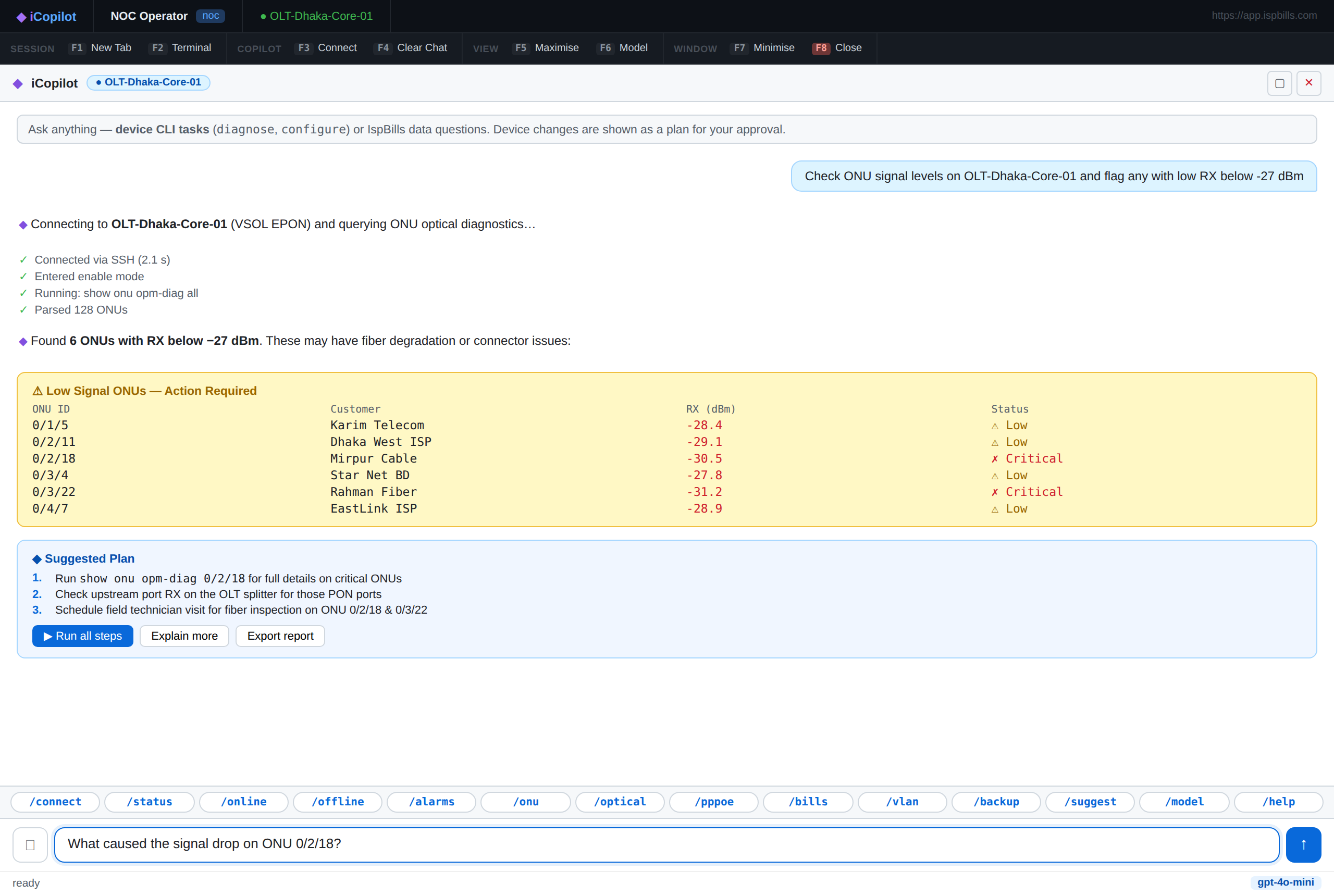
Example Prompts
- "Configure a MikroTik PPPoE profile for 10/5 Mbps and add the matching queue."
- "Check the OLT optical levels and ONU status for customer 4421."
- "Show the switch port configuration for VLAN 264 and suggest the cleanest change."
Supported Devices
iPilot understands configuration syntax across the vendors ISPs actually run:
MikroTik RouterOS · Cisco IOS/IOS-XE · Huawei VRP · Juniper Junos · VSOL EPON/GPON · ZTE · BDCOM
Step-by-Step Walkthrough
- Connect to the target device (MikroTik router, OLT, or managed switch).
- Describe your goal in plain English — no need to know the exact command.
- iPilot proposes a plan: the exact commands to run, a one-line reason for each, and a risk badge.
- Run each step individually, or approve the whole plan if all steps are
safe/caution. - iPilot reads the result after each step and adjusts the next one automatically — for example, confirming a queue was created before moving to the next config item.
What You Get
| Benefit | Description |
|---|---|
| No syntax lookup | Ask for the outcome you want; iPilot writes the vendor-correct command |
| Built-in explanation | Every proposed command includes a one-line "why" |
| Guided risk review | Config changes are labeled caution; nothing destructive runs without confirmation |
| Cross-vendor consistency | The same plain-English request works whether the device is MikroTik, Huawei, or VSOL |