Use Case: Root Cause Analysis for Customer Issues
Turn a vague customer complaint into a structured, evidence-based diagnosis with iPilot.
The scenario
A customer reports "my internet is down." That's not enough to act on — iPilot turns it into a structured investigation across every layer that could be at fault.
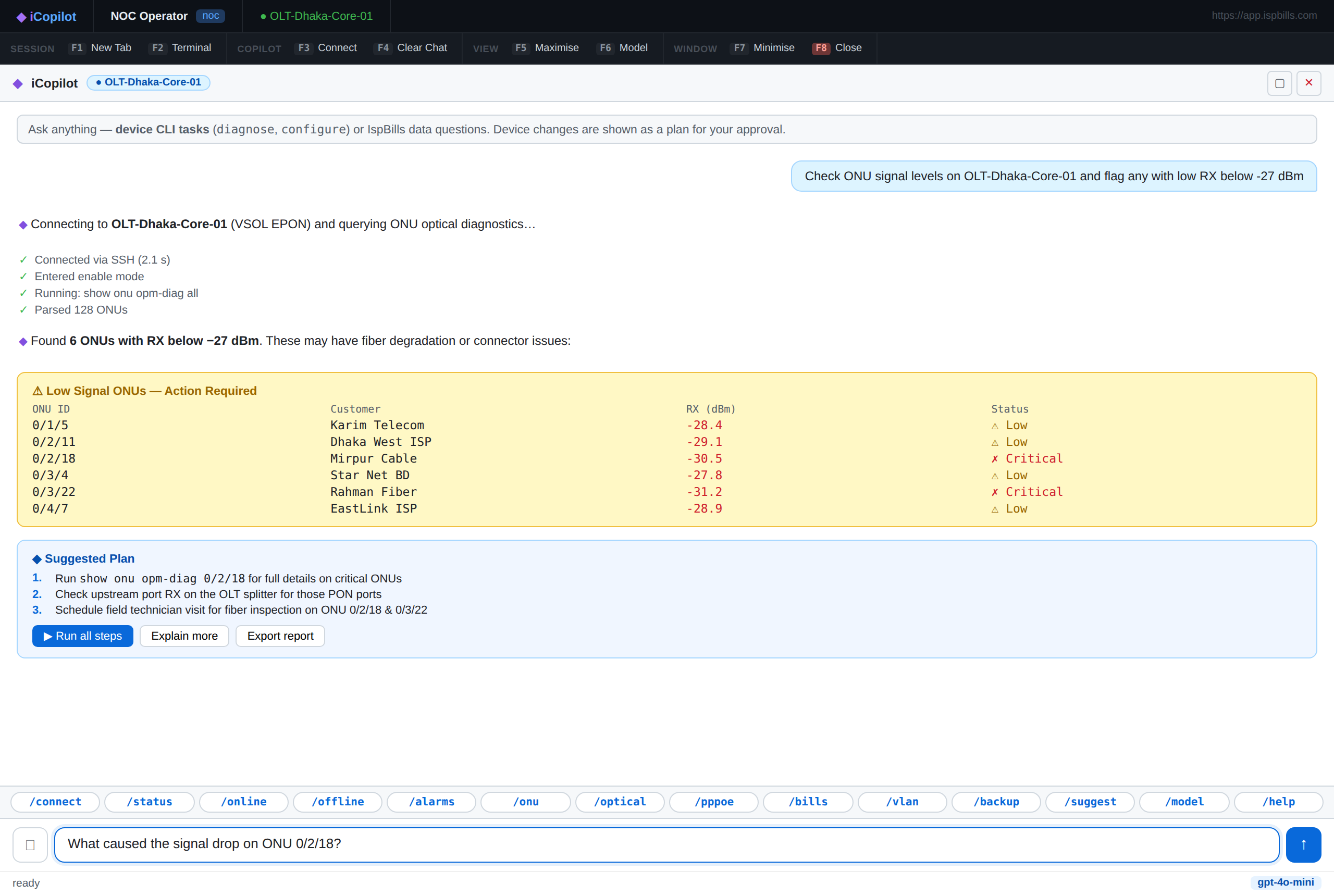
Example Prompts
- "Customer 4421 is offline. Find the likely root cause and the fastest recovery steps."
- "Why is this PPPoE session failing after the last change?"
- "Check the ONU signal, RADIUS session, and interface status, then give me the highest-probability cause."
What iPilot Checks
iPilot looks up the customer and walks through each layer that could explain the fault:
| Layer | What's Checked |
|---|---|
| Access layer | ONU optical signal, port status, physical link state |
| Authentication | RADIUS session state and recent auth failures |
| Configuration | Recent changes to the customer's profile or package |
| Uplink | Upstream interface and routing health |
Step-by-Step Walkthrough
- Look up the customer by ID, phone number, IP, or username — no need to know which device they're on.
- Ask iPilot to investigate the reported issue.
- iPilot checks each layer in order and reports which one is the most likely cause, with supporting evidence.
- iPilot proposes the fastest safe recovery step — for example, resetting a session or flagging a hardware fault for dispatch.
This separates access-layer issues, authentication failures, uplink problems, and configuration drift — so you fix the actual cause the first time.